Sign inSign-in codeCreate an accountForgot passwordNew passwordInformation
The CMS with a built-in encrypted database
Site map (module)
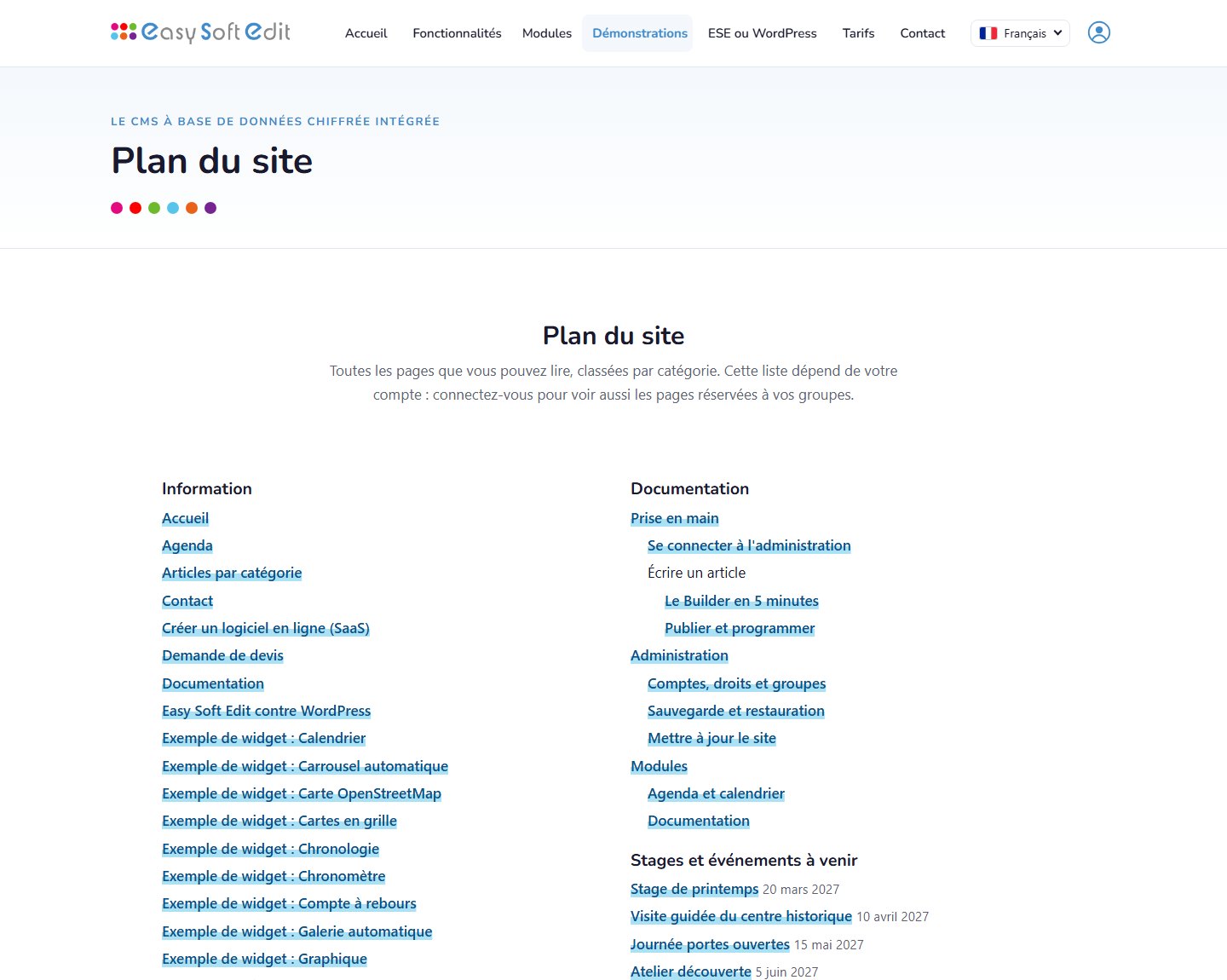
The “Site map” module lists the pages the visitor may read, grouped by category or following a menu, with the documentation and upcoming courses. The list depends on the signed-in account: a page reserved to a group does not appear — no title, no hint — for anyone outside it.
The result, as a visitor sees it
What the module brings
Each visitor sees THEIR map: public pages, plus those of their groups once signed in
Pages grouped by category, or following the tree of a menu
Documentation and upcoming courses included when those modules are active
A link in the footer, through the “pied” menu
The sitemap.xml file for search engines stays public and is not changed
How to add it
Create a “Site map” article (Publishing › Articles).
In the Builder, drag the “CMS plugin” widget and choose “Site map” (tag [[plan_du_site]]).
Add an entry pointing to this article in the “pied” menu (Publishing › Menus).
Easy Soft Edit modules are the foundation of online software: accounts, rights, data, forms, emails.
Visual accessibility
Text size
Contrast
Your settings are stored on this device only.
Your cookie choices
We use cookies that are necessary for the site to work. With your consent, we may also load external content (videos, maps) and measure audience. You can accept, refuse or customise your choices, and change them at any time. Cookie policy
Manage my cookies
Necessary cookiesAlways active
Essential for the site to work: session, security, chosen language, storing your choices. They cannot be disabled.
Videos, maps and other content provided by third-party services (YouTube, Vimeo, Google Maps…). These services may set their own cookies.