The CMS that includes its own database server

Easy Soft Edit brings together a visual editor, an encrypted database built into your hosting and ready-made modules: showcase site, agenda, registrations, newsletter, multilingual.

Request a quote Discover the features

  • Starting with PHP 5.6, 7, 8, and later
  • No MySQL server
  • Interface in 6 languages
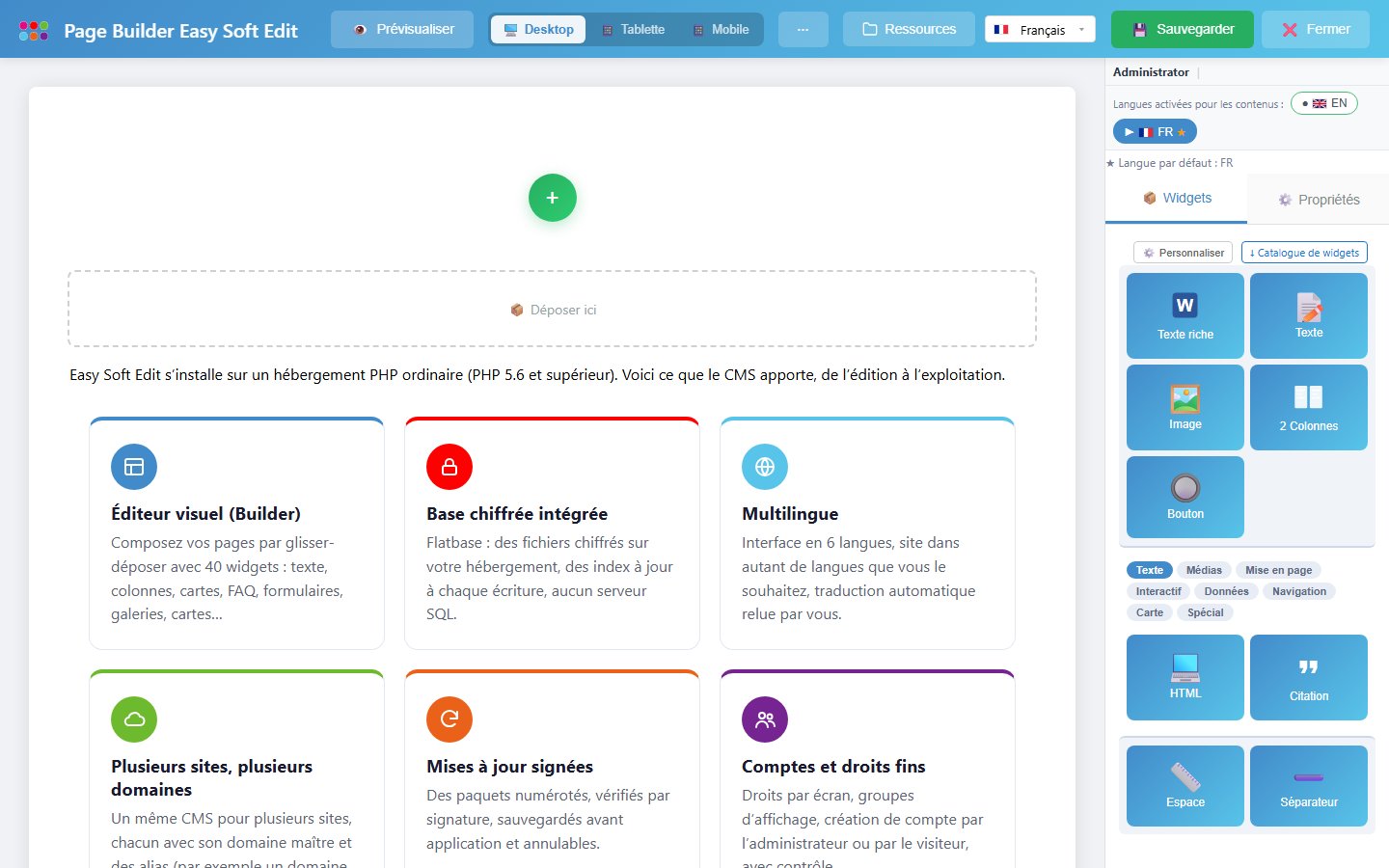
The Easy Soft Edit Builder: composing a page by drag and drop

The essentials

Why Easy Soft Edit

Design choices that make life easier for sites and the people who run them.

Security by design

Built-in database engine, encrypted tables, no data in the cloud: everything stays on your hosting, access closed by default.

Security in detail →

Multi-site, multi-domain

Several sites and several domain names in a single installation: a master domain, aliases, one tool to administer.

Multi-site →

Simple to run

A drag-and-drop visual editor, updates by signed packages, built-in backups. No database server to set up.

Features →

A foundation for your online software

Accounts, rights, forms, data and emails are already there: add a business module to build a custom SaaS.

Build a SaaS →

Modular

Contact, agenda, registrations, courses, newsletter, documentation… each feature is a module you turn on or off.

See the modules →

Multilingual

Interface in 6 languages, site in as many languages as you like, machine translation reviewed by you.

See the widgets →

28
modules
40
Builder widgets
6
interface languages
0
database server

The product

The CMS in action

Three real screens, no staging: this is what you will use every day.

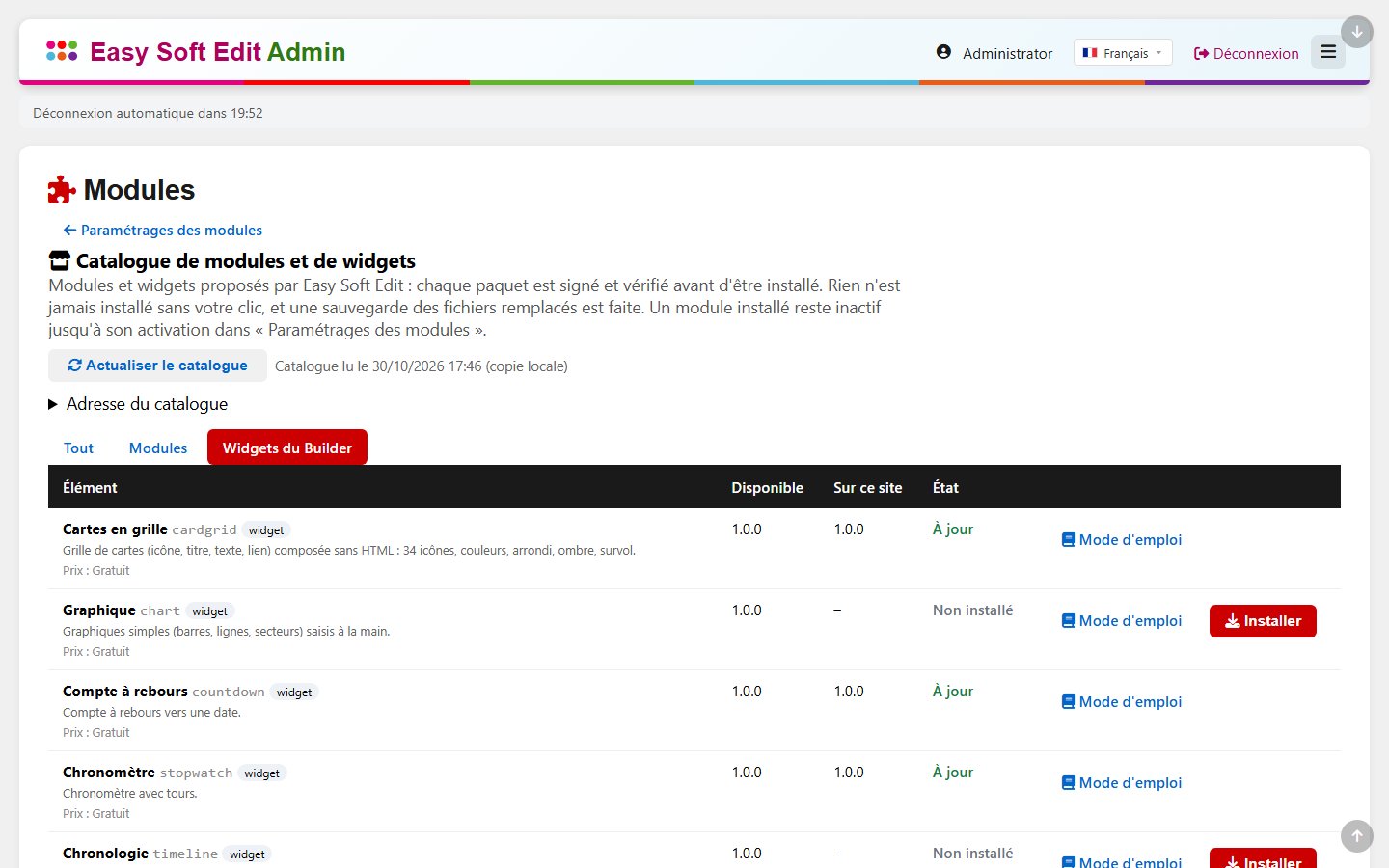
Add modules and widgets in one click

The catalogue offers signed modules and widgets. You see the files that will be added before installing, a backup is made, and you can undo the last installation.
See the catalogue

The catalogue of modules and widgets in the administration

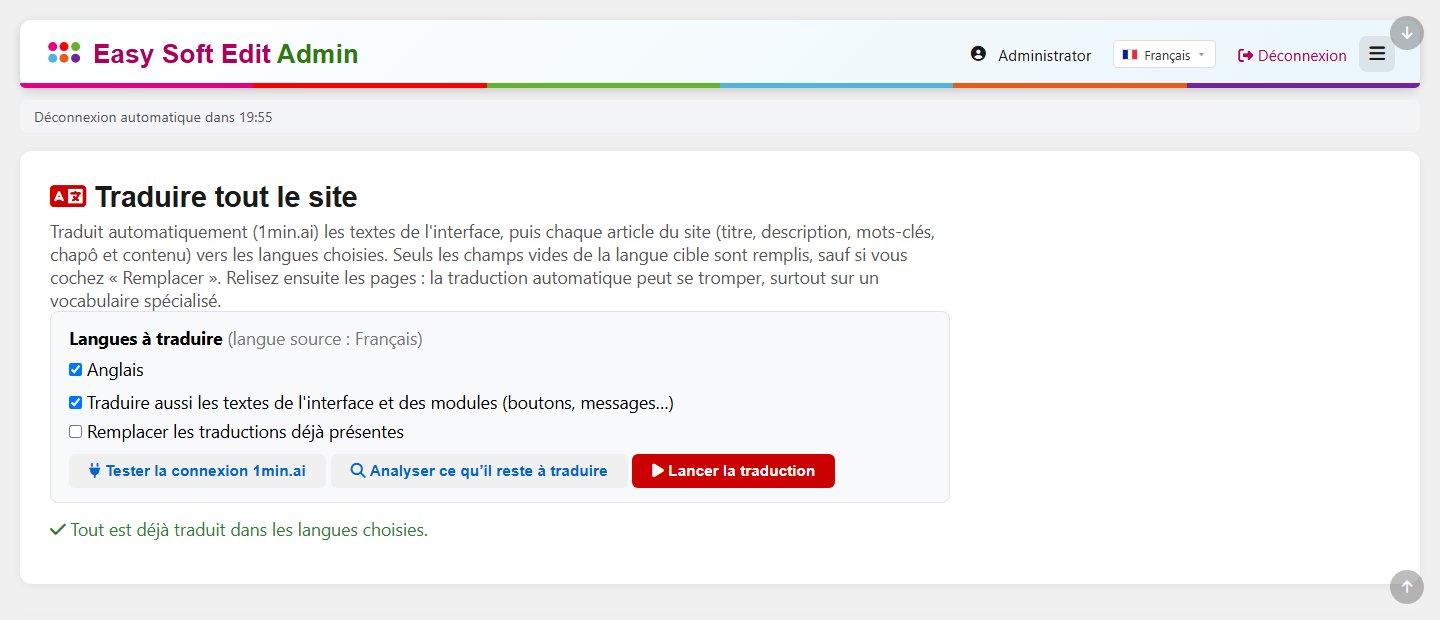
Translate the whole site in a few clicks

One operation translates the interface, then every article: title, description, summary and content built with the Builder. You then proofread the pages: machine translation can make mistakes.
See the features

The “Translate the whole site” screen of the administration

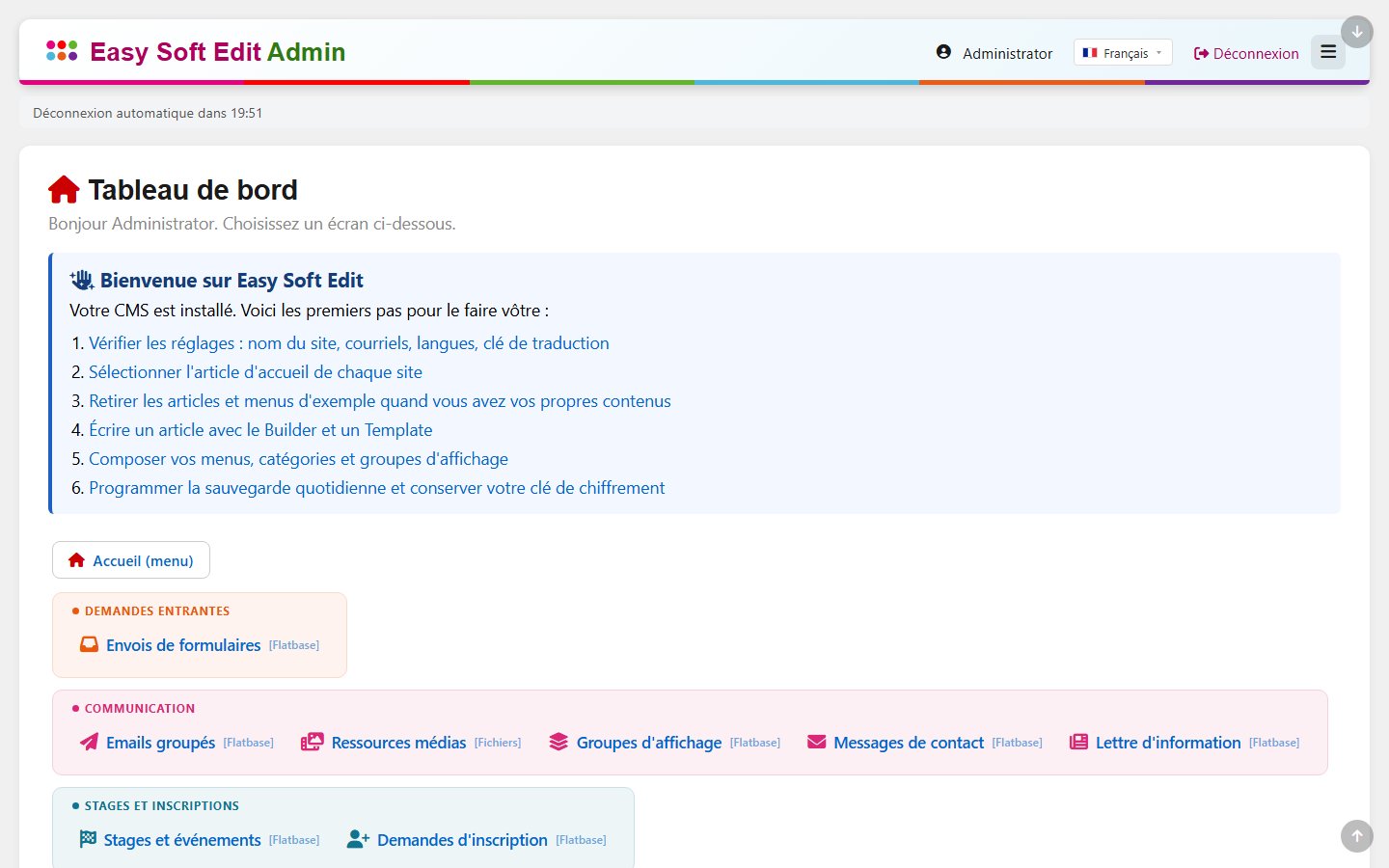
A clear administration, organised in blocks

Content, communication, courses and registrations, rights: each screen has its own access right, closed by default. A dashboard guides your first steps.
Request a quote

The administration dashboard

Modules

Every module, with no extension to buy

Each family of features is a CMS module, switched on per site and shown by a demonstration page.

Comparison

Easy Soft Edit versus WordPress

An honest comparison: WordPress is excellent for many projects. Here is where Easy Soft Edit makes a difference.

WordPress

  • MySQL database to host and protect
  • Third-party plugins of varying quality
  • Frequent updates to watch

Easy Soft Edit

  • Built-in encrypted database, on your own hosting
  • Built-in modules, signed and tested together
  • Updates by signed packages, backup before each one

Read the detailed comparison

A website project? Let’s talk.

Describe your activity and budget: you receive a priced proposal, with no commitment.

Request a quote See the pricing